


Driver: Driving & Dash Cam App
4.5289.00 Reviews
App Specs
- Version
- Varies with Device
- Updated On
- License
- Free
- Downloads
- 100,000+
- Developer
- www.TryDriver.com
- Categories
- Maps & Navigation
- Platform
- Android
Screenshots
 Analysis by AppCompare
Hey there, fellow road warriors! Have you ever wished you had an extra set of eyes on the road? Well, buckle up because I've been cruising around with the Driver: Driving & Dash Cam App, and I've got the lowdown for you.
Getting Started with Driver
First things first, downloading the Driver: Driving & Dash Cam App from the app store is a breeze. Once you fire it up, you'll be greeted by a clean and intuitive interface. It's like the app is holding your hand, guiding you through its features without any fuss. You know, the kind of app that doesn't make you feel like you're deciphering ancient hieroglyphics!
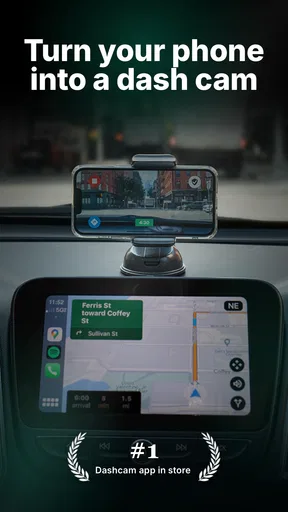
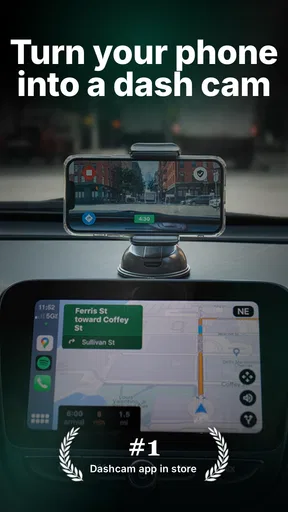
Setting up the dash cam feature is as simple as pie. Just mount your phone on the dashboard, hit record, and voila! You've turned your phone into a personal dash cam. It's perfect for capturing those unexpected moments on the road, from breathtaking scenery to those "did-that-just-happen" incidents.
The Driving Assistant
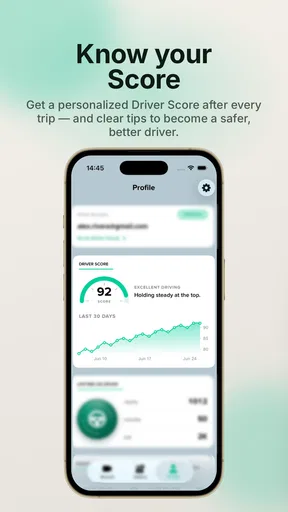
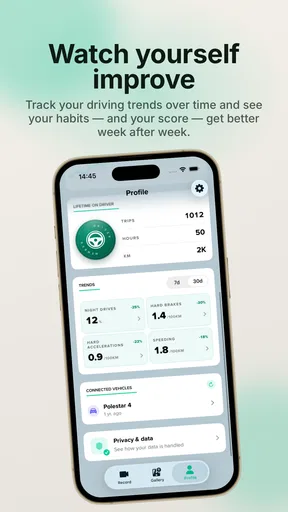
Now, I know what you're thinking: "Is this app just another dash cam?" Not at all. The Driver app comes packed with a driving assistant feature that’s like having a co-pilot who never gets tired. It keeps track of your driving habits, offering insights and tips to help you improve.
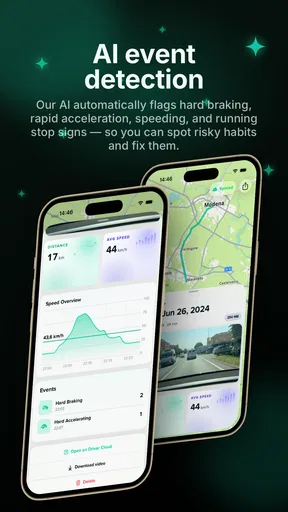
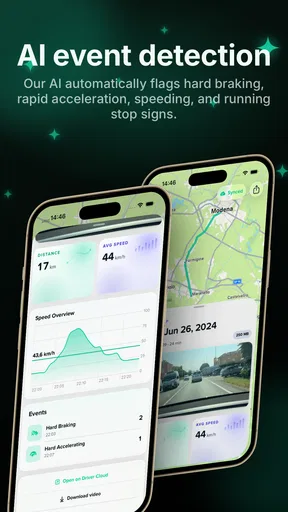
The app provides real-time alerts for things like speeding, sudden braking, and acceleration. It’s like having your very own driving coach whispering tips in your ear. And let me tell you, it's surprisingly helpful! I've already started noticing improvements in my driving habits, and my insurance company might just thank me later.
Safety First
Alright, let's talk safety. The app features automatic collision detection and emergency alerts. If the app detects a crash, it immediately sends alerts to your emergency contacts with your location. It’s a reassuring feature that, hopefully, you’ll never need, but it’s nice to know it’s there.
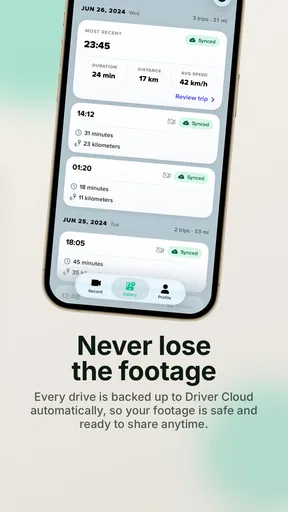
Plus, the video evidence from the dash cam can be a lifesaver in disputes over accidents. It's like having a digital witness that’s always on your side. And with the app storing your footage in the cloud, you won’t have to worry about losing evidence if your phone takes a hit.
Worth Reading Before You Choose

Flipboard Shows What News Apps Must Do Beyond the Feed

Switching to Android Auto Means Rethinking Your Driving Routine

Google Calendar Makes a Crowded Week Easier to Manage

Ludo King Makes the Most of the Minutes Between Plans

Baby Panda World Brings Quick Play to Modern Phones, but Its Game Library Feels Busy

ESPN’s Live Game View Makes Following Close Games Easier
Additional Perks
Aside from the core features, the app also includes some nifty extras. You get access to a trip history, which logs all your drives, complete with stats and maps. It's a bit like a digital diary for your car journeys.
There’s also integration with music and navigation apps, so you can rock out or navigate with ease without switching between apps. Honestly, it’s all about making life easier on the road, and who doesn’t want that?
Final Thoughts
So, is the Driver: Driving & Dash Cam App worth the download? In my book, absolutely. It’s like having a Swiss Army knife for your car, blending safety, convenience, and a touch of style. Whether you're a seasoned driver or just starting, this app is a game-changer.
Remember, it’s not just about having a dash cam; it’s about becoming a better, safer driver. So, if you’re ready to take your driving experience to the next level, give it a spin. Just don’t blame me if you start enjoying your commutes a little too much!
Pros
- User-friendly interface for easy navigation.
- High-quality video recording capabilities.
- Real-time GPS tracking for accuracy.
- Seamless integration with cloud storage.
- Customizable dashboard for personalized experience.
Cons
- Consumes significant battery power quickly.
- Limited free features; subscription required.
- Occasional lag in video playback.
- In-app ads can be intrusive.
- Large app size may affect device storage.
FAQs for Driver: Driving & Dash Cam App
What features does the Driver: Driving & Dash Cam App offer?
The Driver app provides a comprehensive suite of features for driving assistance and safety. It includes real-time GPS navigation, a built-in dash cam for recording trips, speed alerts, and road condition notifications. Additionally, it offers cloud storage for video recordings and the ability to share trip data with friends or family.
Is the dash cam feature reliable during long drives?
Yes, the dash cam feature in the Driver app is designed for reliability on long drives. It continuously records in high definition, ensuring clear footage. The app utilizes efficient battery management and storage options, allowing for extended recording without draining your device’s battery or storage space.
How does the app handle privacy concerns with recorded data?
The Driver app prioritizes user privacy by encrypting all recorded data and storing it securely in the cloud. Users have full control over their recordings and can choose to delete or share videos at their discretion. The app also provides customizable privacy settings to suit individual preferences.
Can the app be used without an internet connection?
While the Driver app functions best with an internet connection, it retains core functionalities like dash cam recording and basic navigation offline. However, features like real-time traffic updates and cloud storage of recordings require an internet connection to operate effectively.
What devices are compatible with the Driver: Driving & Dash Cam App?
The app is compatible with a wide range of Android and iOS devices. It requires Android version 8.0 or later and iOS version 11.0 or later. For optimal performance, a device with a good camera and GPS capabilities is recommended to fully utilize all features of the app.


